

Microsoft Word remains the cornerstone of professional document creation across virtually every industry. Despite its widespread use, most professionals utilize only a fraction of the software's capabilities, leaving significant productivity gains on the table. Comprehensive microsoft word training transforms Word from a basic typing tool into a powerful platform for creating sophisticated documents, automating repetitive tasks, and collaborating seamlessly with colleagues. Whether your team members are new to the software or long-time users seeking to refine their skills, structured training delivers measurable returns through improved efficiency, professional-quality outputs, and standardized workflows that enhance organizational consistency.
Why Microsoft Word Training Matters in Modern Workplaces
Organizations often assume employees know Word simply because they use it daily. This assumption creates knowledge gaps that slow productivity and result in inconsistent document formatting, wasted hours on manual tasks, and missed opportunities to leverage advanced features. Formal microsoft word training addresses these challenges by establishing baseline competencies across teams.
Key benefits of structured Word training include:
- Reduced document creation time by 30-40% through templates and styles
- Consistent branding and formatting across all organizational documents
- Improved collaboration capabilities using track changes and commenting features
- Enhanced document security through protection and access controls
- Professional outputs that strengthen client relationships and internal communications
The difference between self-taught Word users and trained professionals becomes apparent in document complexity and efficiency. While basic users struggle with multi-page reports, trained employees create sophisticated documents with automated tables of contents, cross-references, and integrated citations. This expertise proves invaluable when preparing proposals, research papers, or compliance documentation where proper citation management ensures academic and professional standards.
Foundational Skills Every Professional Needs
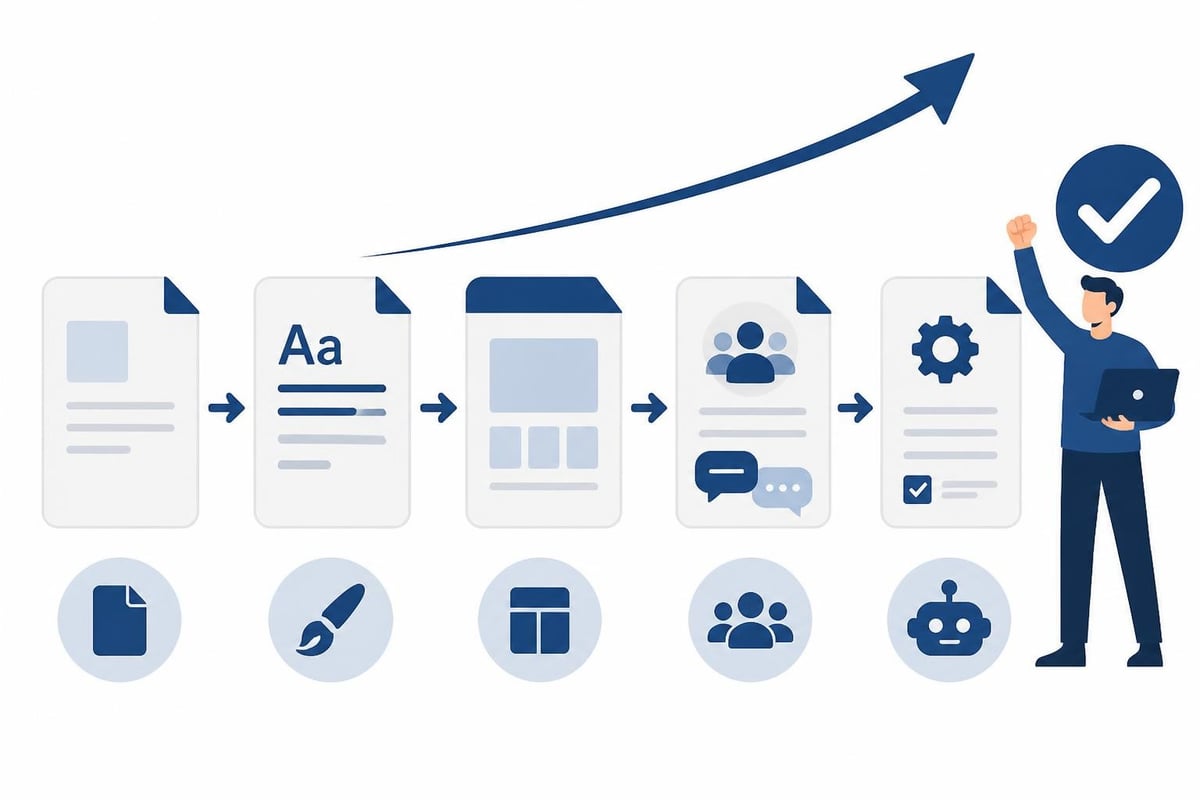
Beginning-level microsoft word training establishes essential competencies that form the foundation for all document work. These fundamentals extend beyond simple typing to include proper document structure, efficient navigation, and basic formatting techniques that create professional appearances.
Core foundational skills include document creation and management, text formatting and alignment, paragraph styling, basic table creation, inserting and positioning images, page layout and margins, headers and footers, and printing configurations. Even experienced users benefit from revisiting these basics, as many develop inefficient workarounds rather than using built-in features correctly.
Organizations investing in instructor-led training see faster skill adoption compared to self-paced learning. Live instruction allows immediate clarification of confusing concepts and real-time practice with feedback. This approach particularly benefits teams transitioning from older Word versions or switching from competing software platforms.
Intermediate Microsoft Word Training Components
Intermediate microsoft word training builds upon foundations by introducing features that significantly enhance document professionalism and reduce repetitive work. This level transforms Word users from document creators into efficient producers who understand workflow optimization.
| Feature Category | Key Skills | Business Impact |
|---|---|---|
| Styles & Themes | Creating custom styles, applying themes, modifying style sets | Brand consistency, rapid reformatting |
| Templates | Building reusable templates, using Quick Parts, AutoText | Time savings, standardization |
| Tables & Charts | Advanced table design, data integration, chart insertion | Professional data presentation |
| Collaboration | Track changes, comments, compare documents, co-authoring | Team efficiency, version control |
Advanced formatting techniques covered at this level:
- Section breaks for mixed page orientations and numbering schemes
- Multi-level lists with custom numbering formats
- Tab stops and indentation for precise alignment
- Columns for newsletter-style layouts
- Text boxes and shapes for visual elements
- SmartArt graphics for organizational charts and process diagrams
The collaboration features deserve particular attention in 2026's hybrid work environment. Understanding how to effectively use track changes, resolve comments, and manage document versions prevents the chaos of multiple document copies circulating via email. Teams trained in these features report 50% fewer versioning errors and significantly smoother approval processes.
Many professionals appreciate resources like those from Michigan State University’s training programs, which provide comprehensive coverage of intermediate topics in structured formats.
Advanced Features That Transform Productivity
Advanced microsoft word training unlocks the software's most powerful capabilities, enabling users to create complex documents with minimal manual effort. These features separate proficient users from true Word experts who can tackle any documentation challenge.
Mail Merge and Data Integration
Mail merge revolutionizes how organizations handle personalized communications. Rather than manually customizing individual letters, certificates, or labels, trained users connect Word to data sources and generate hundreds of personalized documents in minutes.
Mail merge applications include client correspondence, event invitations, certificate generation, mailing labels, directory creation, and personalized reports. The time savings multiply exponentially with document volume, making this skill invaluable for marketing departments, human resources teams, and any function handling high-volume communications.
Long Document Management
Creating reports, manuals, proposals, or dissertations requires specialized skills that basic Word training doesn't cover. Advanced users master navigation tools, document organization techniques, and automation features designed specifically for complex documents.
- Structure Planning: Establish heading hierarchy using built-in styles
- Automated Elements: Insert table of contents, index, and table of figures
- Cross-References: Link related sections for easy navigation
- Master Documents: Manage multiple subdocuments as cohesive units
- Footnotes & Endnotes: Properly cite sources and add clarifications
- Captions & References: Number and reference figures, tables, and equations automatically
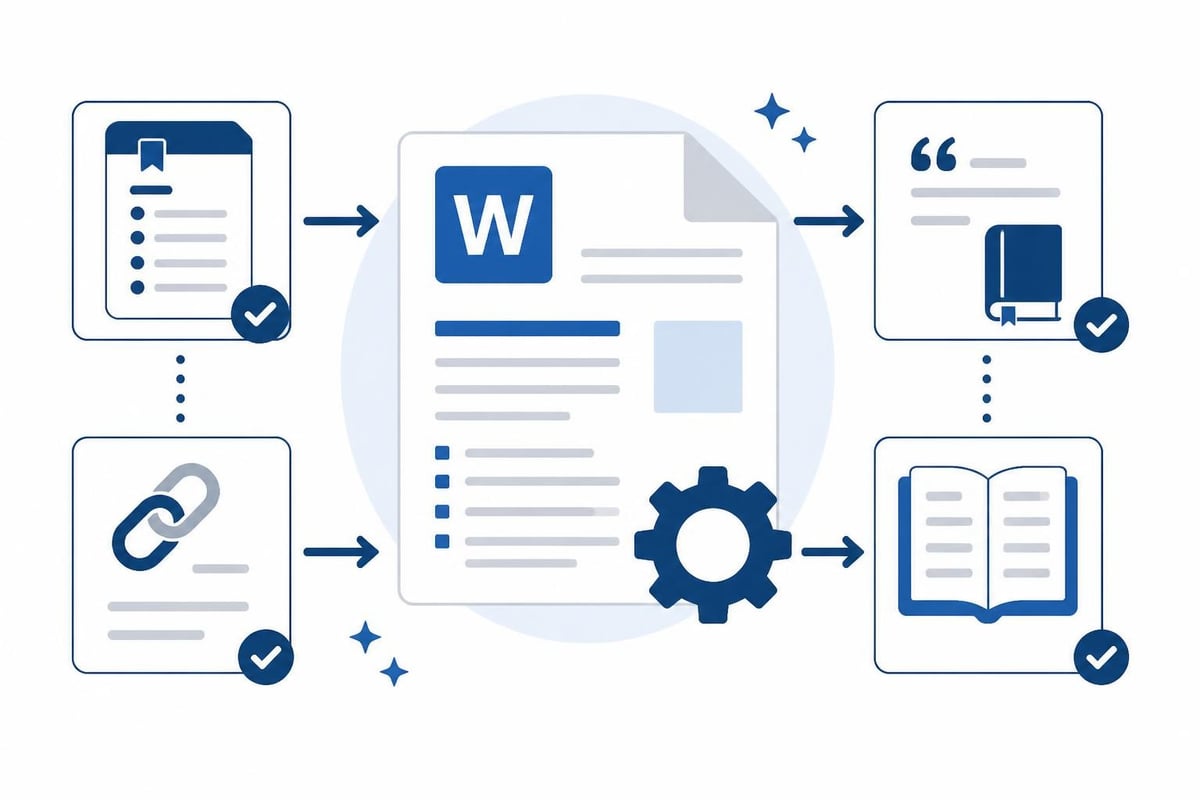
Organizations producing technical documentation, academic papers, or regulatory submissions particularly benefit from training in these areas. The ability to write great papers efficiently separates amateur from professional document production.
Macros and Automation
For users performing repetitive tasks, macros provide automation solutions that save countless hours. Microsoft word training at advanced levels introduces macro recording, editing, and application for common workflows.
Common macro applications:
- Formatting imported text to company standards
- Inserting frequently used text blocks with consistent formatting
- Converting data between formats
- Cleaning up documents received from external sources
- Applying complex formatting sequences with single clicks
While basic macro recording requires no programming knowledge, understanding Visual Basic for Applications (VBA) expands possibilities significantly. Organizations with unique workflows benefit tremendously from custom macro development, often reducing hours-long tasks to seconds.
Microsoft Word Certification Pathways
Professional certification validates Word expertise and provides structured learning objectives that ensure comprehensive skill coverage. The Microsoft Office Specialist certification program offers recognized credentials that enhance resumes and demonstrate commitment to professional development.
| Certification Level | Target Audience | Key Topics | Typical Preparation Time |
|---|---|---|---|
| MOS Word Associate | Beginning to intermediate users | Document creation, formatting, collaboration | 20-30 hours |
| MOS Word Expert | Advanced users | Complex documents, customization, automation | 30-40 hours |
| MOS Master | Multi-application proficiency | Word plus other Office applications | 60-80 hours |
Certification preparation naturally guides comprehensive microsoft word training, ensuring no critical features get overlooked. Organizations sponsoring employee certifications see improved skill retention and higher training ROI compared to non-certified training paths.
Preparing for certification requires structured study combining hands-on practice, concept review, and exam simulation. Many training providers offer certification-aligned courses that map directly to exam objectives, streamlining the preparation process while building practical skills applicable to daily work.
Choosing the Right Training Format
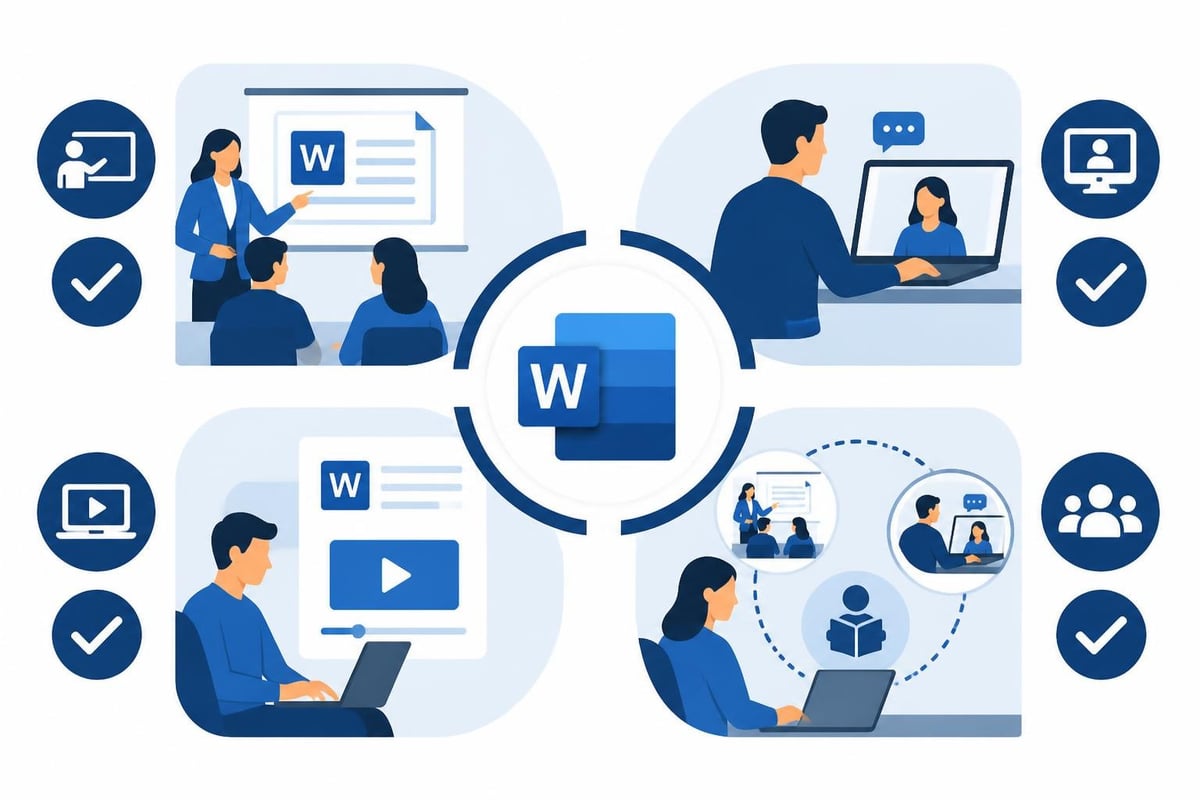
Microsoft word training comes in multiple formats, each offering distinct advantages depending on organizational needs, learning styles, and logistical constraints. Selecting the appropriate format significantly impacts training effectiveness and skill retention.
Instructor-Led Classroom Training provides interactive learning with immediate feedback and peer collaboration. This traditional format works exceptionally well for teams training together, allowing practice on real organizational documents and addressing company-specific challenges. Live instructors adapt content based on participant questions and skill levels, creating customized experiences that pre-recorded content cannot match.
Virtual Instructor-Led Training combines live instruction benefits with remote accessibility. Particularly valuable in 2026's distributed work environment, virtual sessions enable participation regardless of location while maintaining interactive elements through screen sharing, breakout rooms, and real-time demonstrations. Organizations with geographically dispersed teams find this format balances engagement with logistical simplicity.
Self-Paced Online Learning offers maximum flexibility for individual learners who prefer controlling their pace and schedule. Quality self-paced courses include video demonstrations, practice exercises, and knowledge checks that guide progression. However, this format requires strong self-discipline and provides limited opportunities for clarifying questions or discussing company-specific applications.
Blended Learning Approaches combine formats to optimize learning outcomes. A common model includes self-paced modules for foundational concepts followed by instructor-led sessions for advanced features and hands-on practice. This approach respects diverse learning preferences while ensuring critical skills receive proper attention.
Organizations offering diverse training portfolios, such as those providing customizable course options, can recommend optimal formats based on team composition, existing skill levels, and specific learning objectives.
Integrating Word Training With Broader Skills Development
Microsoft word training delivers maximum value when integrated into comprehensive professional development strategies rather than treated as isolated technical instruction. Word skills support and enhance capabilities across multiple professional domains.
Document creation intersects with:
- Business writing and communication training
- Project documentation and project management skills
- Client deliverables and customer relationship management
- Team collaboration and teamwork skills development
Organizations building learning pathways should consider how Word training complements other technical skills. Employees proficient in both Microsoft Excel and Word can seamlessly integrate data analysis with professional reporting. Similarly, teams trained in collaboration tools alongside Word's sharing features create more efficient workflows.
The rise of artificial intelligence introduces new considerations for 2026 training programs. Understanding how AI tools augment business processes includes recognizing Word's AI-powered features like Editor, Designer, and accessibility checkers that enhance document quality with minimal effort.
Measuring Training Effectiveness and ROI
Successful microsoft word training programs include mechanisms for measuring impact and demonstrating return on investment. Without measurement, organizations cannot determine whether training objectives were met or identify areas requiring reinforcement.
Pre and Post-Training Assessments
Skills assessments before and after training quantify knowledge gains and identify persistent gaps requiring additional attention. Effective assessments test practical application rather than theoretical knowledge, requiring participants to complete realistic tasks within Word rather than answer multiple-choice questions.
Assessment areas should include basic formatting and document creation, style application and management, table and graphic insertion, collaboration tool usage, advanced features relevant to job roles, and efficiency metrics like time to complete standard tasks.
Workplace Application Monitoring
True training success appears in daily work rather than assessment scores. Managers should observe whether employees apply newly learned techniques when creating actual business documents. Common indicators include consistent use of styles instead of manual formatting, template utilization for recurring document types, proper collaboration tool usage, and reduced time spent on document creation tasks.
ROI calculation factors:
- Time saved on document creation and formatting
- Reduced errors requiring document rework
- Improved document quality leading to better client impressions
- Decreased support requests for Word-related issues
- Enhanced collaboration reducing version control problems
Organizations investing in training typically see ROI within three to six months through cumulative time savings and quality improvements. A team of ten employees each saving 30 minutes daily through improved Word efficiency represents over 60 hours monthly, translating to significant labour cost savings.
Common Training Challenges and Solutions
Even well-designed microsoft word training programs encounter obstacles that can limit effectiveness. Recognizing common challenges and implementing proven solutions ensures training investments deliver expected results.
Skill Level Variation
Groups often contain mixed skill levels from absolute beginners to experienced users seeking specific advanced techniques. Training everyone together risks boring advanced users while overwhelming beginners.
Solutions include:
- Pre-training assessments that enable grouping by skill level
- Modular course design allowing participants to skip mastered content
- Breakout sessions during instructor-led training for skill-specific topics
- Providing advanced users with helper roles that reinforce their knowledge
- Offering multiple session levels participants can self-select
Transfer to Workplace Applications
Participants may perform well during training exercises but struggle applying skills to actual work documents with their unique complexity and requirements. This transfer gap undermines training value.
Effective strategies include using actual company documents as practice materials, assigning post-training application projects with deadlines, establishing peer support networks for ongoing questions, scheduling follow-up sessions addressing real-world challenges, and creating quick-reference guides for common organizational tasks.
Technology and Version Issues
Organizations using different Word versions or working with compatibility requirements face technical challenges during training. Features available in Word 2026 may not exist in Word 2019, creating confusion and limiting applicability.
Training providers should clarify version coverage upfront, demonstrate version-specific features separately when mixing participants, teach compatibility best practices for organizations supporting multiple versions, and focus on features available across versions for maximum applicability. Resources like Microsoft’s developer documentation help trainers understand version differences and plan accordingly.
Building a Sustainable Word Training Program
One-time training events provide temporary knowledge boosts, but sustainable programs embed continuous learning into organizational culture. Building sustainability requires strategic planning beyond initial course delivery.
Creating Internal Resources
Organizations should develop repositories of training materials, templates, and quick-reference guides customized to their specific workflows and standards. Internal resources provide ongoing support long after formal training concludes.
Useful resources include template libraries for common document types, style guides defining organizational formatting standards, macro collections for recurring tasks, video tutorials demonstrating company-specific processes, and FAQ documents addressing common questions and challenges.
Establishing Power Users
Identifying and developing Word power users within departments creates internal expertise that supports colleagues and reduces dependence on external training. Power users receive advanced training and become go-to resources for questions and troubleshooting.
Power user responsibilities typically include answering colleague questions, developing department-specific templates and tools, testing new features and updates, providing input on training needs, and conducting informal lunch-and-learn sessions.
Scheduling Refresher Training
Skills degrade without regular use and reinforcement. Scheduling periodic refresher sessions ensures teams maintain proficiency and learn features added in software updates. Annual or semi-annual refreshers work well for most organizations, with specialized sessions addressing new feature releases.
Leveraging External Training Partners
Partnering with experienced training providers offers advantages including access to expert instructors, current curriculum reflecting latest features, flexible delivery options, and administrative simplicity. Quality training partners customize content to organizational needs rather than delivering generic courses.
When evaluating training providers, consider instructor qualifications and Word expertise, curriculum customization capabilities, delivery format options and flexibility, assessment and measurement tools, post-training support offerings, and client references from similar organizations.
Established providers like those offering comprehensive training services bring depth of experience across multiple skill levels and can design learning pathways aligned with organizational objectives.
Mastering Microsoft Word transforms it from a simple word processor into a strategic productivity tool that elevates professional output and organizational efficiency. Whether your team needs foundational skills, advanced document automation, or certification preparation, structured microsoft word training delivers measurable returns through time savings, quality improvements, and enhanced collaboration. My Training Network specializes in delivering customized, instructor-led Word training across Canada and virtually worldwide, with expert trainers who adapt content to your specific workflows and business requirements. Contact us to design a Word training program that builds the exact capabilities your team needs to excel.

